LongHorn Steakhouse To Go & Online Ordering
Order LongHorn To Go through the official website or app at participating restaurants. Choose the exact branch, check its ordering window and review the pickup details before paying.
Independent ordering guide · Reviewed November 16, 2026
Local availability, prices and pickup times are confirmed by the selected restaurant.
How to Order LongHorn Steakhouse Online
- Choose your restaurant. Start on the official menu or app. Match the street address, not just the city name. Our locations guide explains what to check.
- Check the available ordering time. Use the selected branch’s online-ordering hours and the pickup choices actually offered for your order.
- Build the meal from the local menu. Select the exact item and portion. Review the available doneness, side, dressing and add-on choices for that item.
- Review the complete order. Confirm the restaurant, collection method, pickup time, items, paid upgrades and final total. Check offer terms before relying on a discount.
- Keep the confirmation. Follow its collection instructions and save the order reference and restaurant phone number. If submission appears to fail, verify whether an order was received before placing it again.
Have an allergy or a preparation request? Speak with the restaurant before relying only on an online note. Our allergen guide helps you prepare questions.
To Go, Pickup, Curbside & Delivery
To Go / takeout
A meal you collect from the restaurant. Use the selected location’s current menu and collection instructions.
Curbside pickup
A collection option at participating locations. Check the branch’s amenities and follow the arrival instructions provided for your order.
Delivery
Check the service offered for your restaurant and address. A pickup or curbside listing alone does not confirm delivery.
Darden’s current iPhone app listing includes To Go ordering and a delivery heading. That listing does not establish delivery coverage for every address. Check the actual options and fees before choosing a service.
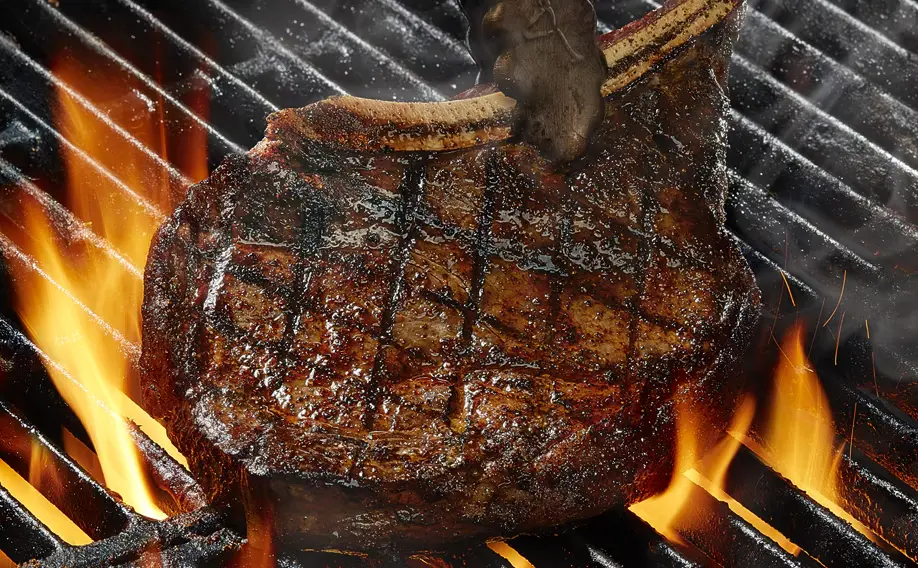
Food photo: an existing menu image, not an example of takeout packaging or guaranteed included sides.
What Time Does LongHorn Online Ordering Close?
Use online-ordering hours, not the dining-room closing time. Official restaurant pages list separate service windows. Available pickup times can also depend on the date and current order availability.
| Restaurant and listed day | Restaurant service | Online ordering |
|---|---|---|
| Warrington, Pennsylvania · Sunday | 11 a.m.–10 p.m. | 11:10 a.m.–9:40 p.m. |
| Wyomissing, Pennsylvania · Friday | 11 a.m.–11 p.m. | 11:10 a.m.–10:40 p.m. |
These are dated examples from official location listings, not nationwide hours or a promise of a pickup slot. Recheck your own branch for today and holidays.
How long will takeout take? Use the pickup estimate shown for your actual order. We did not verify one chain-wide preparation time. For a large order or a tight deadline, ask the restaurant before submitting.
LongHorn To Go Menu Prices & What Is Included
LongHorn’s official FAQ says menu prices vary by location. The selected restaurant’s ordering menu is the place to confirm the price of your meal.
Match the item
Check the cut, portion, included accompaniments and selected sides. A starting price may change with the option you choose.
Count the extras
Review premium sides, toppings, sauces, drinks, tax, any displayed fees and any tip you choose before paying.
Read the offer
Check expiry, eligible items, minimum purchase and whether the offer permits your ordering channel.
Does takeout include bread, salad or utensils? Review your exact item and order details, then ask the restaurant to confirm anything important. A dining-room photo does not prove what will be packed with a To Go order.
Our LongHorn bread and butter guide explains full-loaf nutrition, portion estimates and the bread-inclusion questions to ask at pickup.
Browse our steak menu guide, chicken and seafood guide or lunch guide to plan a meal. Use the nutrition calculator for estimates; include the selected sides, sauces and dressings.
For offer checks, read our coupons and deals guide. We have not verified that every coupon works online or transfers to another platform.
Your LongHorn Pickup Checklist
Tick these reminders as you check your order. This checklist runs on this page; it does not send information to the restaurant or track an order.
At curbside: use the pickup area and arrival method specified by your restaurant or confirmation. If the instructions are unclear, call that location rather than assuming a universal text message, app button or parking-bay system.
Missing Food, Order Changes or an App That Will Not Work
| Problem | Practical next step |
|---|---|
| No pickup times appear | Confirm the branch, date and online-ordering window. Try the official website if the app is unavailable, or call the restaurant about current ordering options. |
| Payment or submission is unclear | Check for a confirmation and contact the restaurant to verify receipt before submitting the same order again. |
| Wrong location, item or pickup time | Call the restaurant shown on the confirmation promptly. Ask whether a correction is possible; do not assume an edit or cancellation is guaranteed. |
| Something is missing at pickup | Compare the bag with the receipt and tell staff before leaving when practical. If you have left, contact the restaurant with the order reference. |
| Incorrect charge | LongHorn’s FAQ recommends contacting the restaurant manager for bill or charge errors. Keep the itemized receipt. |
| Order placed through another platform | Check that platform’s help and refund process as well as the order details. Do not assume another service uses LongHorn’s direct-order procedures. |
No universal cancellation deadline or refund turnaround was verified for food orders. Ask the restaurant about your specific order instead of relying on a fixed online claim.
LongHorn To Go FAQs
Can I order LongHorn online without downloading the app?
Yes. Official location pages link to online To Go ordering, and the official website has an ordering menu. Select your restaurant there.
Does every LongHorn have curbside pickup?
Confirm it on the selected restaurant’s official page. The locations reviewed list curbside as an amenity; that does not establish availability at every branch.
Can I order takeout right up to closing?
Do not assume so. The official examples above show online ordering ending 20 minutes before restaurant service closes. Your location’s hours and available pickup choices take precedence.
Can I schedule an order for later?
Use only the dates and pickup times offered for the selected restaurant. If the time you need is not shown, ask the restaurant; we have not verified a nationwide advance-order limit.
Can I change or cancel my To Go order?
Call the restaurant on your confirmation promptly and ask. We did not verify a universal self-service cancellation option, cutoff or guaranteed refund policy for food orders.
Are To Go prices the same as dine-in or delivery prices?
Compare the exact item and final total in each channel. Location-based pricing, selected extras, offer eligibility and displayed fees can affect the comparison; no universal price-parity rule was verified.
Where can I check calories or dietary choices before ordering?
Use official nutrition information for the listed preparation. Our Menu Guides hub links to calorie estimates and dietary guides. Confirm preparation requests with the restaurant.
Sources & Review Notes
Reviewed November 16, 2026 using LongHorn’s official website, location listings and Darden’s app description. Local hours above are examples from the retrieved listings. No food order, payment, restaurant call or delivery-availability test was performed.
This is an independent information page. Orders and order-specific questions belong with LongHorn or the platform used to place the order.